Import
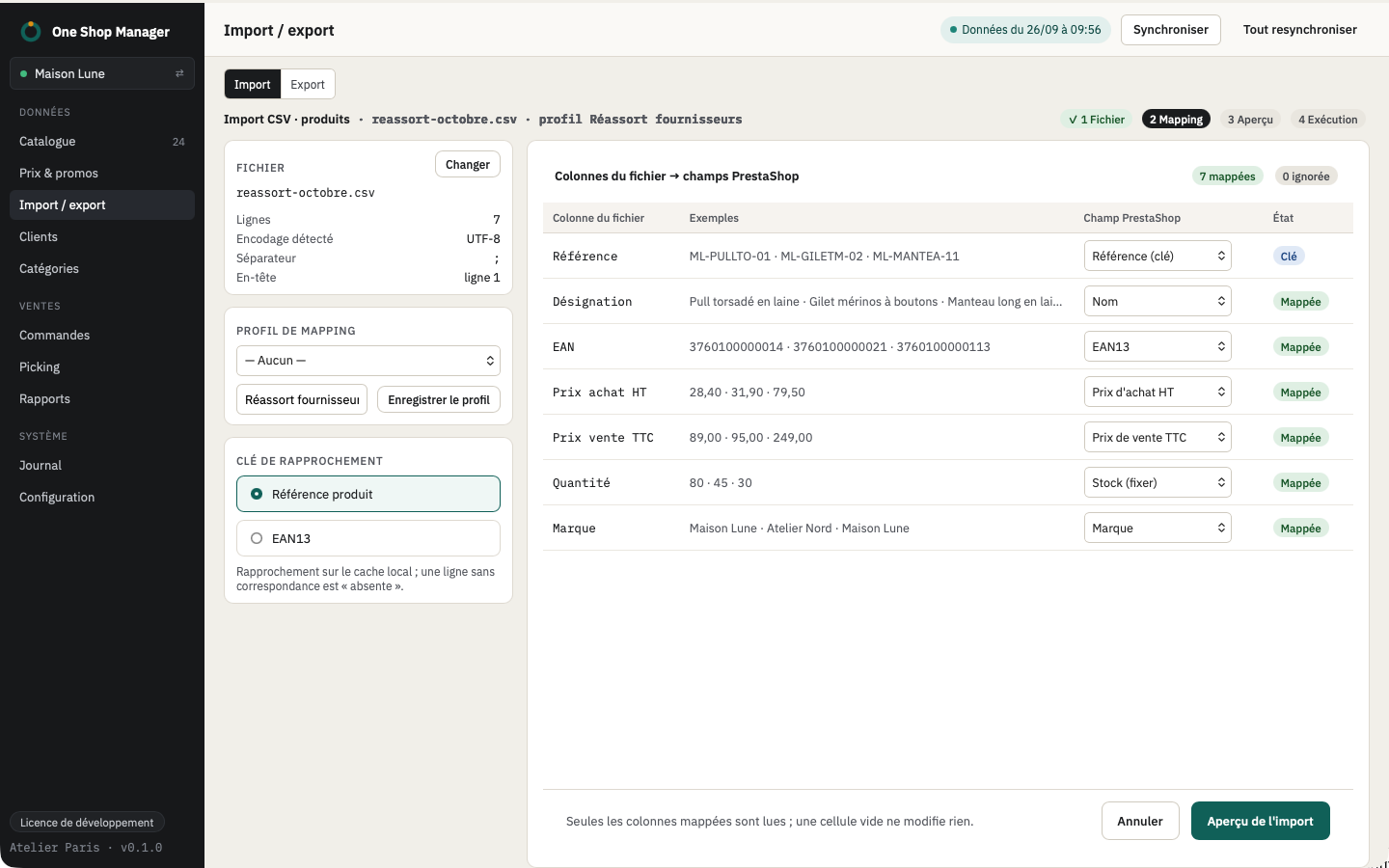
- Formats: CSV and XLSX (supplier exports, Excel, LibreOffice), encoding and separator detected automatically.
- Mapping profiles: columns of the file mapped to PrestaShop fields, saved for the next imports.
- Matching: by reference or by EAN; a line with no matching product is looked up among the combinations.
- Missing products: created disabled, to be checked before publication.
- Combinations to create: reference of the parent product and attributes ("Taille: M | Couleur: Rouge").
- Images: one column per image (Image 1 to Image 10), by URL.
- Preview: the same as for bulk operations, with warnings, then batch execution and undo from the log.
Export
- Catalog, customers and orders as CSV, with the columns and filters displayed.
- Export of a selection from the grid's context menu.
- Accounting exports: see Reports and accounting.
Frequently asked questions
Can you update prices and stock from a supplier file?
Yes. Map the price and stock columns once (saved profile), match by reference or EAN, check the preview and apply.
Are the products in the file that do not exist yet created?
Yes, disabled, so that you can complete them before putting them online.