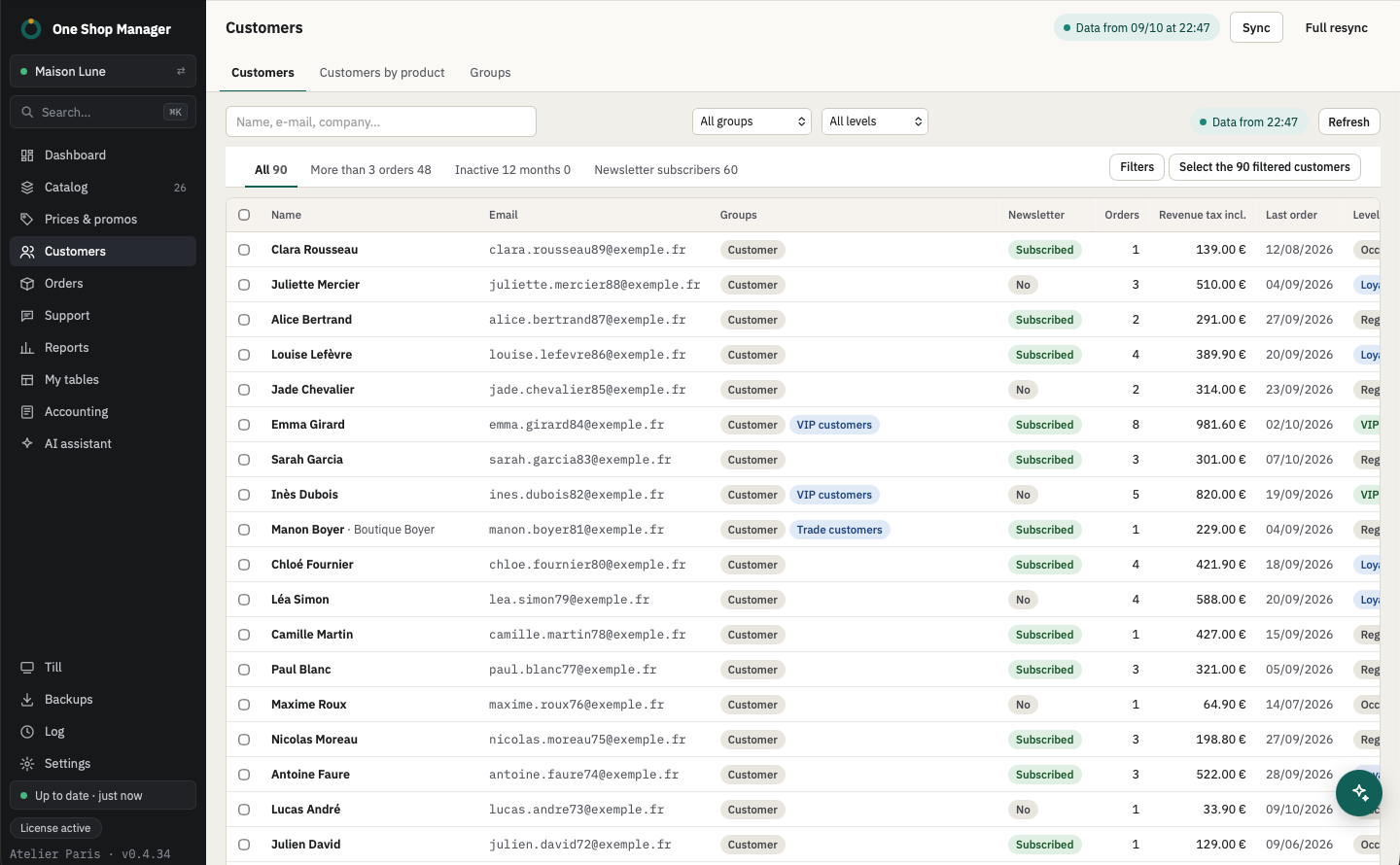
A score and a level for every customer
The score is computed on your data, comparing each customer with the rest of your base:
- revenue net of refunds and number of orders;
- recency of the last order;
- minus refunds and support messages beyond one per order.
| Level | Rule |
|---|---|
| VIP | Score of 80 or more |
| Loyal | Score of 60 or more |
| Regular | Score of 40 or more |
| Occasional | Score under 40 |
| Watch | 30% or more of revenue refunded |
| Prospect | Account with no order |
The customer page details net revenue, the amount refunded, the number of returns and of support threads.
See who bought a product
The Customers by product view answers "Who bought this product?":
- combination bought and period in one click;
- share of new and returning customers, customer age, level of each buyer;
- quick filters (bought again, valid orders only) and sorting;
- selection of the buyers to put them in a group or export them.
Group, notify, export
- Ready-made views: new customers, no purchase in 6 months, inactive for 12 months, a single order, more than 3 orders, newsletter subscribers.
- Filter by level and advanced filter, combined with search and group.
- "Select the filtered customers", then Groups…: check to add, uncheck to remove, with a preview of the changes.
- Newsletter turned on or off in bulk, emails copied, CSV export.
- Every change can be undone from the log.
With the assistant
You ask, it prepares, you approve:
- "My 50 best customers this year": it prepares the table, which you save in My tables.
- "Customers who bought in the Sweaters category in the last 3 months": it builds the table in My tables; you select these customers and put them in a group.
- "Find the orders of marie@example.com": it lists them with their status and amount.
See the AI assistant.
Frequently asked questions
How is the customer score calculated?
Out of 100 points: net revenue and number of orders, compared with the rest of your customers, plus the recency of the last order; refunds and repeated support messages take points off. A customer who had 30% or more of their purchases refunded moves to "Watch".
Can you keep a promotion for VIP customers?
Yes. Filter the VIP level, put these customers in a PrestaShop group, then choose that group in a promotion campaign.
Does customer data leave the computer?
No. The score, levels and views are computed on the local copy of your data, with no third-party server; groups and newsletter changes are written directly to your shop.
Learn more
- Previous module: promotions.
- Next module: orders and picking.
- Customer service, with the customer page next to the message.